Scaffold-Eth-2 Envio Extension
Introduction
The Scaffold-ETH 2 Envio extension makes indexing your deployed smart contracts as simple as possible. Generate a boilerplate indexer for your deployed contracts with a single click and start indexing their events immediately.
With this extension, you get:
- 🔍 Automatic indexer generation from your deployed contracts
- 📊 Status dashboard with links to Envio metrics and database
- 🔄 One-click regeneration to update the indexer when you deploy new contracts
- 📈 GraphQL API for querying your indexed blockchain data
Prerequisites
Before starting, ensure you have the following installed:
- Node.js v22 (v22.13.0 or newer required)
- pnpm (for the Envio indexer; install it standalone, for example
npm install -g pnpm, not throughcorepack enable, because the Scaffold-ETH root pins Yarn) - Docker Desktop (required to run the Envio indexer locally)
- Yarn (for Scaffold-ETH; enable it with
corepack enable yarn)
Step 1: Create a New Scaffold-ETH 2 Project with Envio Extension
To create a new Scaffold-ETH 2 project with the Envio extension already integrated:
npx create-eth@latest -e enviodev/scaffold-eth-2-extension
The CLI asks for a project name and a Solidity framework (Hardhat or Foundry). The steps below use the project name you choose.
Step 2: Start the Local Blockchain
Navigate to your project directory and start the local blockchain:
cd your-project-name
yarn chain
This will start a local blockchain node for development.
Step 3: Deploy Your Contracts
In a new terminal window, navigate to your project directory and deploy the default smart contracts:
cd your-project-name
yarn deploy
This will deploy the default contracts to the local blockchain. This step is optional and can also be done once you've created your own smart contracts and deployed them using yarn deploy.
Step 4: Start Scaffold-ETH Frontend
From your project directory, start the Scaffold-ETH frontend:
yarn start
This will start the Scaffold-ETH frontend at http://localhost:3000.
Step 5: Generate the Indexer
Navigate to the Envio page in your Scaffold-ETH frontend at http://localhost:3000/envio and click the "Generate" button. This should only be done once you've created a smart contract and ran yarn deploy. This will create the boilerplate indexer from your deployed contracts.
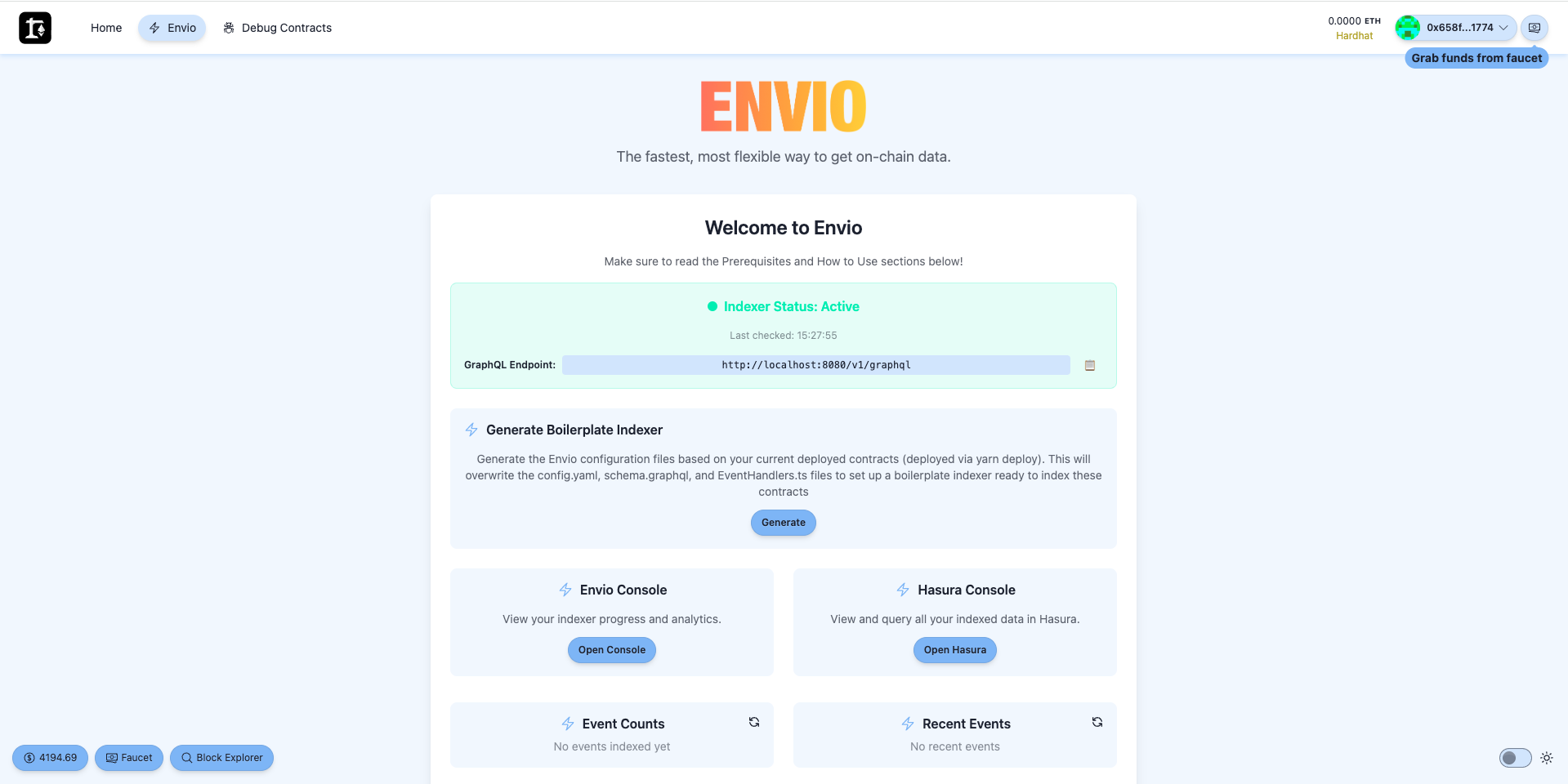
The Envio page also includes a helpful "How to Use" section with step-by-step instructions.
Step 6: Start the Indexer
Navigate to the Envio package directory and start the indexer:
cd packages/envio
pnpm dev
This will begin indexing your contract events.
Regenerating the Indexer
When you deploy new contracts or make changes to existing ones, you'll need to regenerate the indexer:
Via Frontend Dashboard
- Go to the Envio page at
http://localhost:3000/envio - Click "Generate" to regenerate the boilerplate indexer
Via Command Line
cd packages/envio
pnpm run update
Note: Regenerating will overwrite any custom handlers, config, and schema changes, creating a fresh boilerplate indexer based on your deployed contracts. After regenerating, you'll need to stop the running indexer (Ctrl+C) and restart it with
pnpm devfor the changes to take effect.